Sign in with your SAX Microsoft account to access training resources.
Learn how MegaMind's nine specialized AI agents can transform the way SAX handles research, compliance, accounting, and operations.
The platform evolves constantly. Here’s what the SAX Technology team has shipped recently.
Built on authoritative corpora and tuned for SAX workflows — not a generic chatbot.

Employee directory, SOPs, policies & internal knowledge

Tax research · IRC · IRS guidance · 1.1M+ documents

PCAOB · AU-C · GASB · Yellow Book · 121K+ documents

SAXTech IT Support · infrastructure · Azure · ConnectWise

Onboarding · CPE · learning paths · 41K+ training materials

M&A due diligence · deal analytics · transaction documentation

ERISA · SEC/FINRA · Retirement planning · SAX Wealth SOPs · 250K+ documents

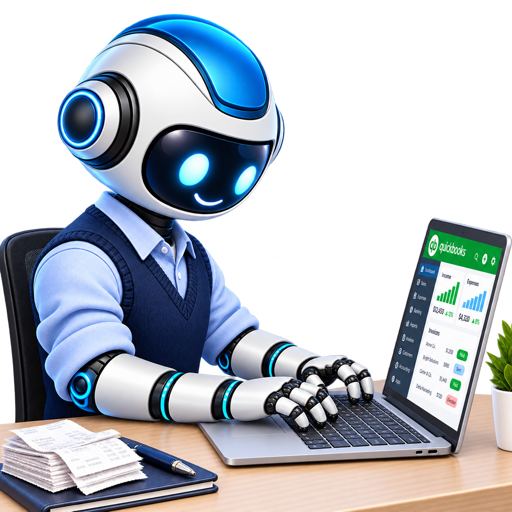
QuickBooks Online · DoubleHQ · bookkeeping · payroll · financial reporting

Firm finance · Sage Intacct · Power BI · Workday
Each MegaMind agent is trained on an authoritative corpus and optimized for your firm's specific workflows.
Live stats showing how SAX staff are using MegaMind this month — conversations, tokens, and agent adoption across the firm.
A token is the basic unit of text that AI models read and write. Words get split into tokens. Anthropic puts one token at roughly 3.5 English characters, and a million tokens at about 555,000 words.
Every message you send (input tokens) and everything MegaMind writes back (output tokens) counts toward your monthly usage. The memory, sources, and history MegaMind reads before it answers count as input too, which is why one answer costs far more than the message you typed.
The context window and reply limit are Anthropic's published figures for Claude Opus 5.5. The medians are measured on MegaMind's own usage ledger: 176 answers on the engine that came before it, Claude Fable 5.1, September 3 to 4, 2026.
Version 9 builds on the 8.0 foundation — memory, skills, routines, the document engine and live collaboration — and adds an assistant that works your own computer, projects with linked folders, real-time voice, a ninth specialist for firm finance, and your firm's live systems wired straight in. It runs on the newest models: Claude Opus 5.5, GPT 6.1 Sol and GPT 6 Astra.
Version 9's first promise: attach a file and every answer, edit and generated document is grounded in that file — never a guess from memory. Hand MegaMind an existing Word, Excel, PowerPoint or PDF to refine in place, or attach up to 100 files and 150 MB per message. Everything you generate lives on the Artifacts page.
Every message is read and routed to the best specialist automatically, mid-conversation included. In 9.0 any specialist can bring in another one right in your chat — ask SAGE a firm-finance question and FINANCE picks it up; ask CPA where someone is and SAGE answers. Restricted specialists (FINANCE, DILIGENCE, CAS) appear only for members of their team.
A ninth specialist for the Finance team: Sage Intacct (GL, AP, cash, budget vs actual), firm-wide WIP, AR aging, billing, collections and realization straight from Practice Management, ProStaff scheduling, the Power BI finance dashboards and Workday headcount. Ask for a full client or engagement list and it hands you the complete file — no row caps, no batches.
Every SAX person can now ask any specialist "how many hours did I charge last week", "what's still unbilled on my time", "what am I scheduled on next month" or "am I over 40 hours". It reads Practice Management and ProStaff live, scoped to you by your own role — staff see their own time, managers their engagement team, partners their book.
The complete Wolters Kluwer support knowledge base for CCH Axcess Tax (20,000+ articles, product help, news alerts and acknowledged Technical Issues) is searchable in plain English from any specialist, refreshed hourly. Paste the exact error or reject code and get the worksheet path, the cause, the fix and the article link. Ask "is Axcess down?" and it checks CCH's live notices at that moment.
Create a project, drop in its documents and standing instructions, and link OneDrive or SharePoint folders so new files flow in on their own. Every chat started inside the project carries all of it. Share the project with teammates — they get the same documents, instructions and context in their own chats.
Talk to MegaMind and interrupt it mid-sentence; on your phone, conversation mode keeps the exchange going hands-free. The same specialists, routing and memory as the desktop — and the Teams app is ready today.
HubSync connects with one click of SAX single sign-on and from then on MegaMind reads client hubs, engagement letters and tax summaries as you. GoFileRoom, HubSpot, Skedda, Workday, Power BI, QuickBooks and Microsoft 365 are already there. Every call runs as the signed-in person with their own permissions — never wider.
With your OK, MegaMind studies your last six months of email, calendar, Teams and documents to build a working profile it brings into every conversation. It keeps learning across chats and days — open Memory in the sidebar to see everything it knows, and chat with it to teach or correct it.
SAX-wide skills, department skills and your personal skills. Describe what you want in a sentence and the wizard drafts the whole skill; attach templates, examples and PDF forms for it to follow; pin one beside your chat to keep it active for the session.
Wake up to a daily briefing of overnight email, today's calendar and drafted replies. Put weekly reports, document refreshes or reminders on a schedule — and in 9.0 a routine can run one of your recorded skills on your own computer while you are away.
Share a read-only copy, hand a conversation off with its context intact, or collaborate live with up to five people watching answers stream together. Live collaborations are private to the people in them, and sharing stays US-to-US and India-to-India for §7216 compliance.
Say what you're really after (“a 2-paragraph client email about the K-1 delay, apologetic but confident”). Follow the live reasoning panel as it works, attach the real files, and use 👍/👎 — a thumbs-down reports the issue and immediately tries again. Every answer names its model and cost.
Ask MegaMind about MegaMind, replay any part of the tour with Show Me How, or hit the report button to capture a screenshot with your note — bugs and feature requests alike. Replies to your reports show up right in the app.
Resolve is the SAX agent on every firm laptop and desktop. It lets any MegaMind specialist do the work on your own screen — and lets SAX IT fix things remotely with AI — while you watch every step. Open the Resolve page →
"Connect me to the VPN", "set up my signature in Outlook", "open HubSync and send this engagement letter for signature", "fix my printer". Any specialist can start it — your ask is the consent. It opens the apps, clicks, types and saves while screenshots of each step stream into the chat. It runs on GPT 6 Astra, the model that can actually see a screen and use a mouse and keyboard, and it only ever works the machine you are signed in to.
CCH Axcess, HubSync, a vendor portal, an internal tool — if it has a screen, Resolve can drive it. When a specialist can't reach something through an integration it can finish the job in your browser instead, so "I can't access that system" stops being the answer.
Press Record a Skill, do the task once on your PC, and the recorder on your machine captures the steps. Review and edit them, save the skill, and run it on demand — or schedule it as a routine with "Run on my computer" so it executes while you're away.
Ask TECH about a problem and MegaMind Tech can take over the fix on your machine from the same Resolve card — you see it happen and can hand the session to a person from the card at any time. Behind the scenes the SAX IT team manages the whole fleet of 550+ machines through Resolve with live sessions and AI.
Nothing runs without the SAX agent installed and you signed in. One assistant drives at a time, every action is shown as it happens, and you can stop it in a word. When it needs a password it pauses and waits for you — it never types your credentials. Every session is logged.
Resolve isn't a separate app. Start it from SAGE, CPA, FINANCE or any other specialist in the web app or Teams, by typing or by talking. The specialist keeps its own knowledge and context while Resolve does the hands-on work.
Short, focused videos showing exactly how to get the most out of MegaMind — from first login to advanced prompting techniques.
Small changes in how you prompt MegaMind lead to dramatically better results.
Instead of "what's the rule on passive losses," try "I'm a CPA reviewing a Schedule E for a real estate professional client — summarize IRC §469 material participation tests." The agent tailors depth and format to your framing.
Attach the relevant PDF (return, workpaper, engagement letter) using the paperclip icon before prompting. The agent reads the document and grounds its response in your actual client data — not hypotheticals.
End your prompt with "Format this as a client memo" or "Give me a bullet summary with citations." MegaMind will follow formatting instructions precisely, saving you reformatting time in Word or Excel.
Don't start a new chat for follow-up questions. Type "Now apply that to a C-corp with a §382 NOL limitation" and MegaMind will maintain full context. Each chat session remembers everything said in it.
Every conversation is stored and searchable. Before starting fresh, search for keywords from a prior engagement — you may have already done this research for a different client last quarter.
MegaMind is a research accelerator, not an authority. Every response includes a disclaimer — use AI output as a starting point and verify against primary sources before filing or publishing.
MegaMind is available to all SAX staff. Sign in with your SAX Microsoft account from any device.
Powered by SAX Technology Advisors